Agentic AI Coding Tools for SaaS MVPs: What To Use, What To Avoid
Use Cursor, Copilot, Claude Code, Codex, Replit, or Windsurf where they fit. Ship the SaaS MVP with review, tests, and handoff.

Agentic AI coding tools are useful for SaaS MVPs when they shorten scoped implementation, not when they become the product plan. Use them for prototype speed, refactors, tests, and contained feature work; use a fixed production build when auth, payments, data, handoff, and reliability decide whether the MVP can sell.
The verdict: pick the tool by build stage, not brand
The safest choice is not the most agentic tool. It is the tool that matches the stage of the SaaS MVP and leaves you with code a production owner can review, test, deploy, and maintain.
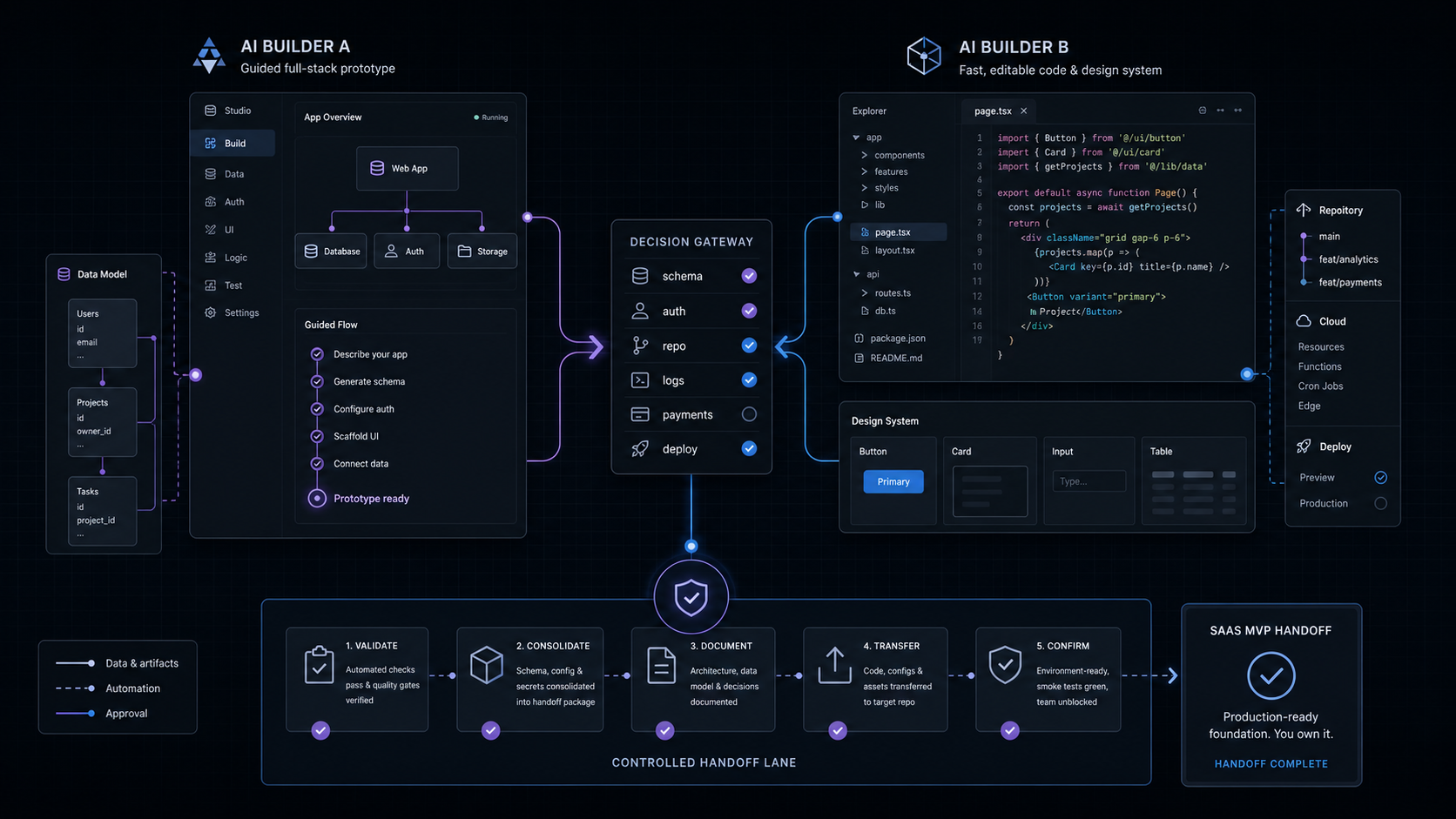
For a founder validating a workflow, Replit or Windsurf/Devin can turn a rough product idea into a demo quickly. For a technical founder or studio already inside a repo, Cursor is the strongest daily builder because it keeps the work close to the codebase. For a team already standardized on GitHub, Copilot is the governance-friendly default. For terminal-heavy refactors and repo analysis, Claude Code is the sharper instrument. For bounded cloud tasks, code review, and OpenAI-centered workflows, Codex belongs in the stack.
That does not mean a SaaS MVP should be "built by a coding agent." A sellable MVP needs user accounts, permissions, payments, dashboards, data flows, deployment, monitoring, and a handoff path. Coding tools can accelerate those pieces. They do not decide the product scope, own the architecture, or prove that the workflow deserves to exist.
Use this rule:
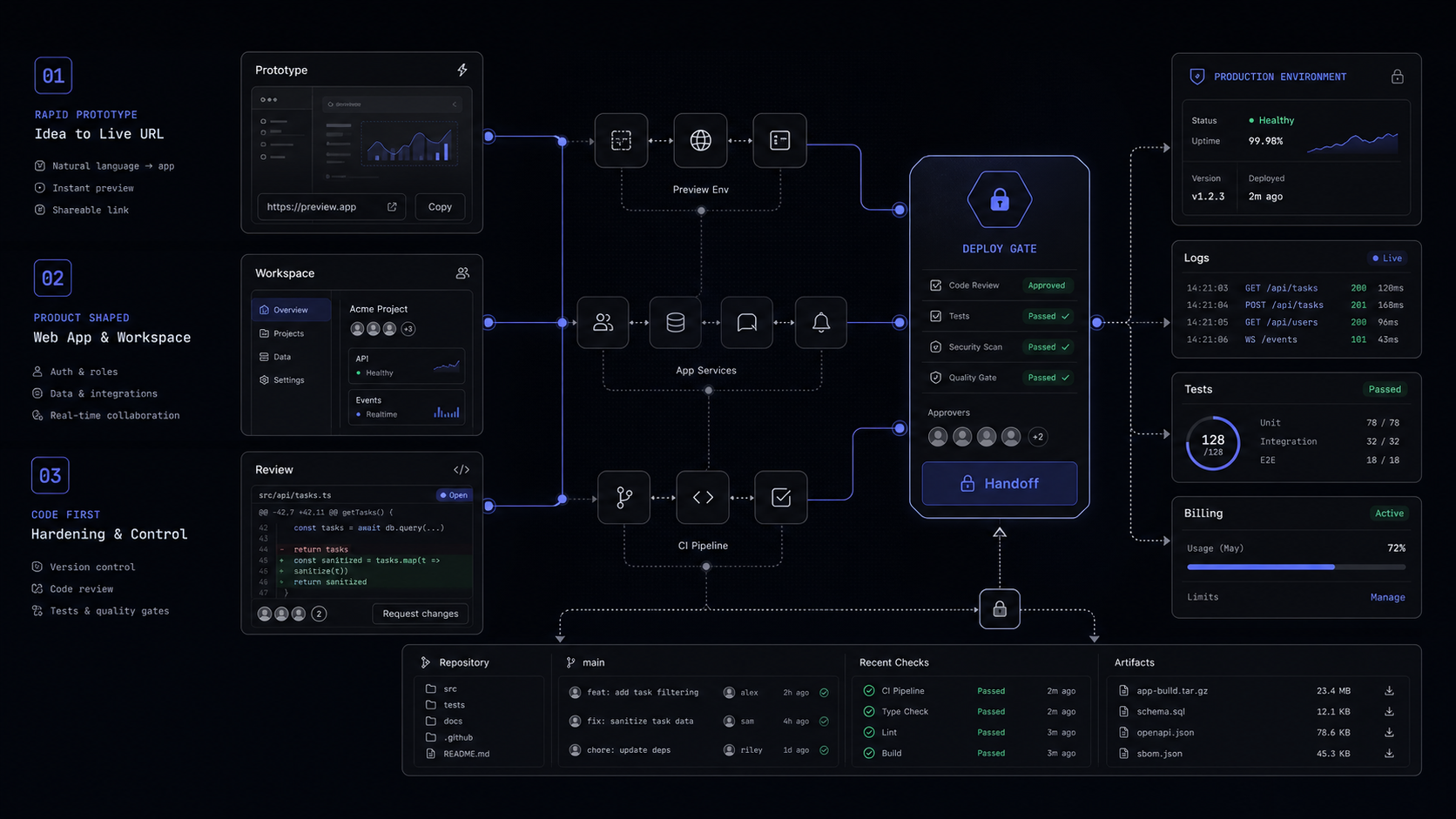
- Prototype: use Replit, Windsurf/Devin, Cursor, or Codex to test the workflow shape.
- Codebase build: use Cursor, Claude Code, Copilot, or Codex with a human owner reviewing diffs.
- Team rollout: use GitHub Copilot Business or Enterprise, Cursor Teams, Claude Team, or ChatGPT Business when billing, permissions, and data controls matter.
- Production handoff: move to a fixed scope when the MVP touches auth, payments, customer data, role permissions, or revenue-critical workflows.
The best outcome is boring: the AI tool speeds up implementation, the product stays bounded, and the final system has tests, logs, deployment notes, and a named owner.
What agentic coding actually changes for an MVP
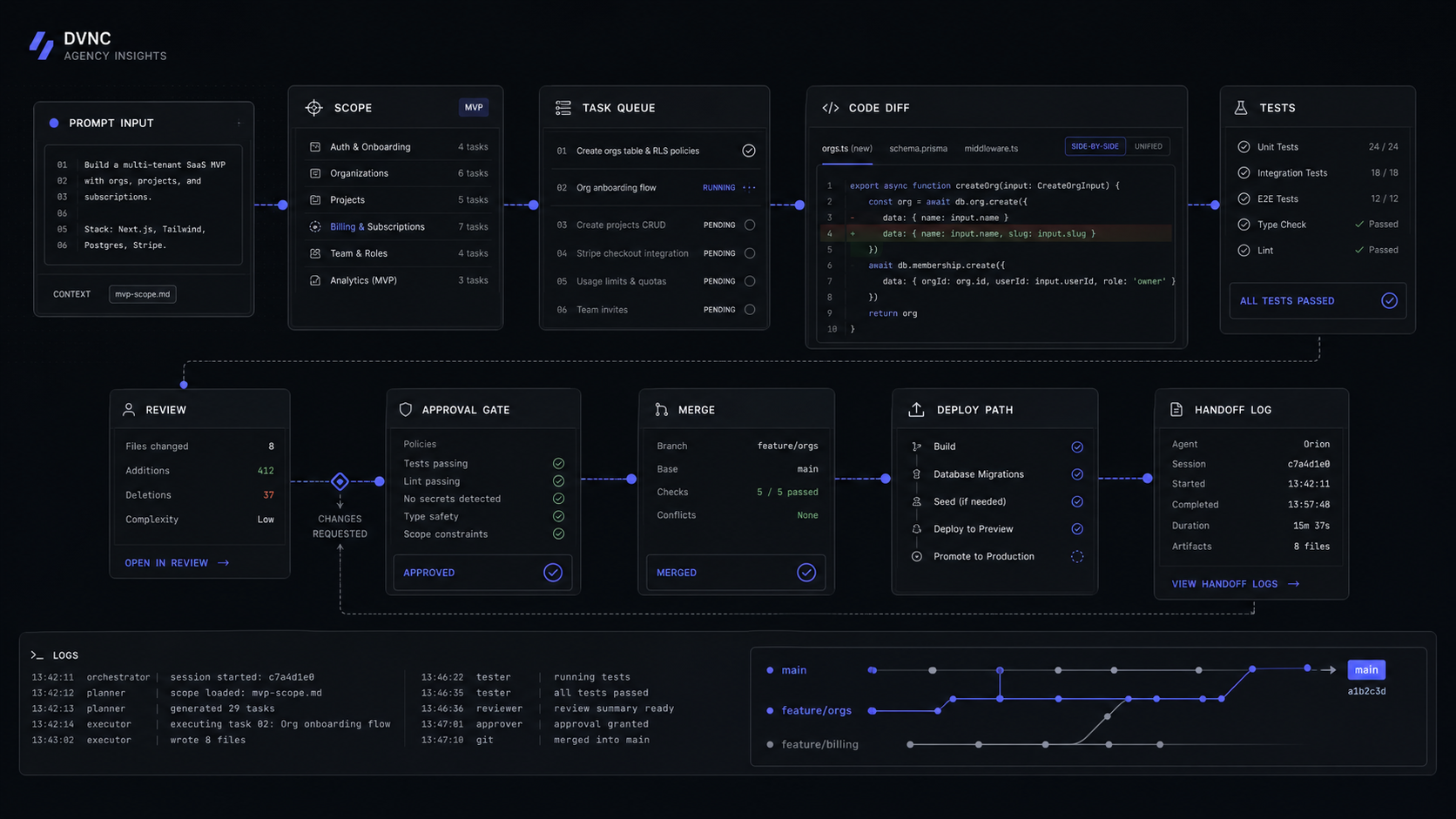
Agentic coding changes the unit of work from "suggest this line" to "attempt this task." Google Cloud defines agentic coding as a software development approach where AI agents plan, write, test, and modify code with minimal human intervention, and says these systems can navigate files, manage dependencies, run terminal commands, read errors, and apply fixes.
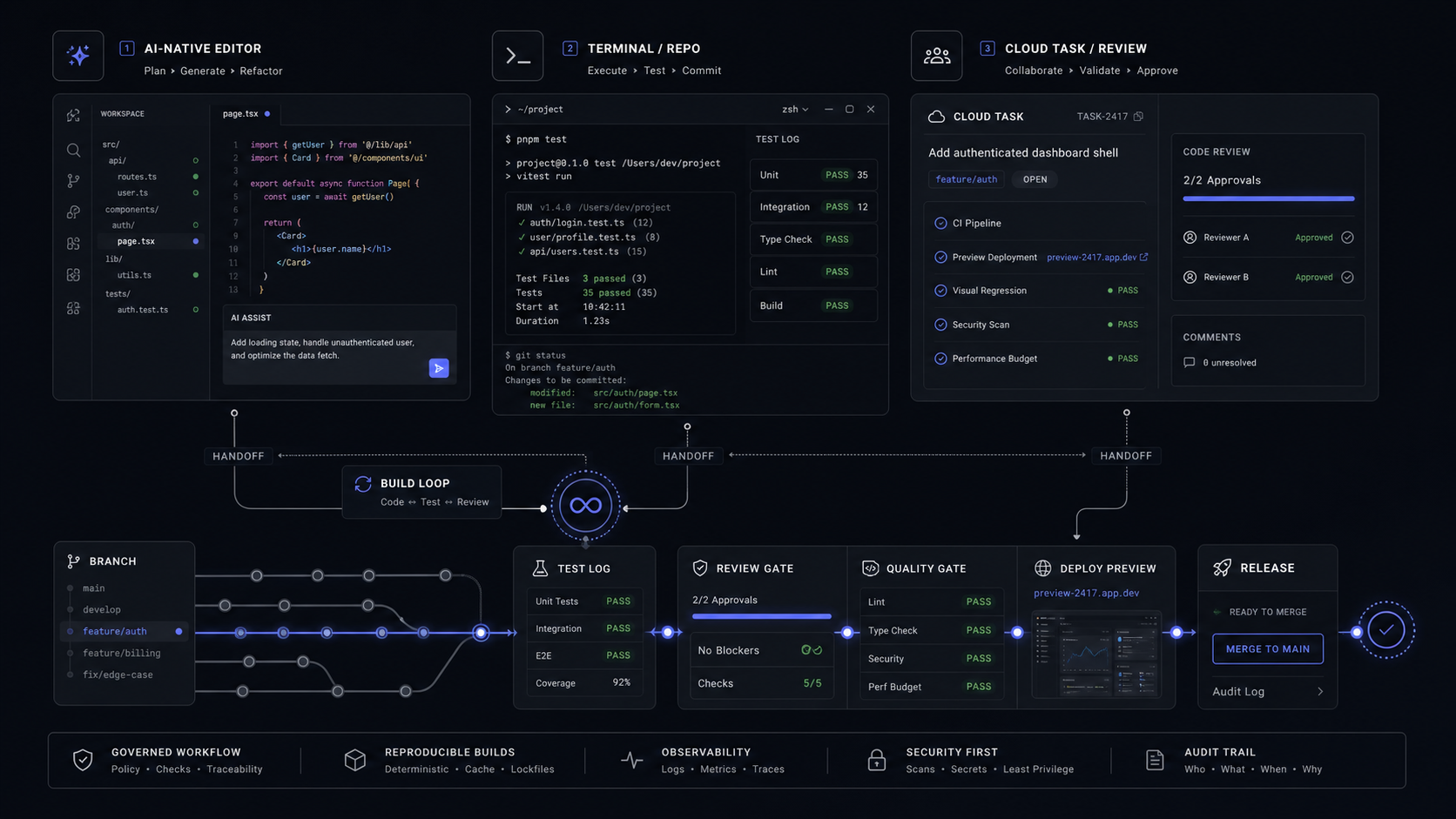
That matters for an MVP because the time sink is rarely one isolated component. It is the loop: create the table, wire the API, update the form, run the tests, fix the broken import, deploy, and then explain what changed. An agentic tool can compress that loop when the task is specific enough.
The failure mode is also different. A bad autocomplete suggestion is easy to delete. A bad multi-file agent change can leave inconsistent naming, hidden security assumptions, broken migrations, and tests that pass for the wrong reason. That is why the tool belongs inside a controlled build routine, not outside it.
Give the tool a bounded task
Ask for one workflow slice, such as "create the invite flow from owner to teammate" or "add a usage table to the billing dashboard." Avoid asking for the whole SaaS MVP at once.
Force a plan before edits
Require the tool to list files, data changes, assumptions, and test commands before it edits. If the plan names auth, billing, or customer data, treat it as review-required work.
Run the boring checks
Run type checks, unit tests, linting, migration checks, dependency scans, and manual browser paths. The tool's own confidence is not a verification step.
Write the handoff
Make the final output include changed files, setup steps, environment variables, known limits, and rollback notes. If a new developer cannot pick it up, the MVP is not ready.
That routine is the difference between a fast demo and a codebase someone can own.
The SaaS MVP comparison table
Use the table by build risk. The price column is only the entry point. The more important column is the production control you need to add before real customers depend on the output.

Cursor: best for codebase iteration, not product strategy
Cursor is the best default when a SaaS MVP already has a codebase and the job is to move faster inside it. Its current public pricing starts with a Hobby plan that is free, an Individual plan at $20 per month, Teams at $40 per user per month, and custom Enterprise pricing.
The important buyer detail is not just the $20 plan. Cursor Individual includes extended limits on Agent, frontier models, MCPs, skills, hooks, cloud agents, and Bugbot on usage-based billing. Cursor Teams adds centralized billing and administration, a team marketplace for internal rules, skills, and plugins, agentic code reviews with Bugbot, cloud agents and automations with shared team context, usage analytics, team-wide privacy mode, and SAML/OIDC SSO. Cursor Enterprise adds SCIM, repository, model, and MCP access controls, auto-run, browser, and network controls, audit logs, service accounts, and an AI code tracking API.
For a SaaS MVP, that makes Cursor useful after the product shape is already narrow:
- Build a pricing-page variant that reads from the same plan data as checkout.
- Add an onboarding checklist after signup.
- Refactor a dashboard component without changing the data contract.
- Generate a first pass of tests around an existing API route.
The wrong use is "build the whole product." Cursor can produce a lot of code quickly, which makes weak scope harder to see. Before using it on a production-bound MVP, define the core workflow in one sentence, name the data objects, and decide which paths must be reviewed by a human before merge.
The decision rule is simple: use Cursor when you want faster controlled edits in an owned repo. Do not use it as a substitute for product architecture, data modeling, or launch judgment.

GitHub Copilot: best for teams already living in GitHub
GitHub Copilot is the safest organizational default when the team already uses GitHub for repos, pull requests, review, and deployment workflows. The individual plan prices are clear: Free is $0, Pro is $10 USD per user per month, Pro+ is $39 USD per user per month, and Max is $100 USD per user per month.
The organization prices matter more for SaaS teams. GitHub's billing docs list Copilot Business at $19 USD per user per month with 1,900 AI credits per user, and Copilot Enterprise at $39 USD per user per month with 3,900 AI credits per user on GitHub Enterprise Cloud. Usage beyond the shared pool is charged at $0.01 USD per AI credit, while code completions and next edit suggestions remain unlimited for paid plans.
That changes the buying question. Copilot is not just a code assistant. It is now a budgeted AI usage surface. Agent mode, code review, coding agent, Copilot CLI, and Copilot Chat consume premium requests or AI credits depending on the plan and billing model. Heavy agent workflows need budget caps before the team normalizes them.
Copilot's strength is governance. GitHub says Business and Enterprise data is not used to train GitHub's model. It also says Enterprise adds GitHub.com integrated chat, codebase indexing, and additional customization versus Business. For a SaaS MVP with more than one developer, that makes Copilot a good default for:
- Branch-level assistance without forcing a new IDE.
- Pull request summaries and first-pass review.
- Standardized access controlled by GitHub admins.
- Team policies around which features and models are allowed.
The limit is depth. Copilot is excellent inside the GitHub workflow, but a founder still needs someone to define the MVP boundary, review architecture, and decide what should not ship. Use Copilot when your team already trusts GitHub as the system of record. Add budget controls before agentic usage becomes invisible spend.

Claude Code: best for terminal-heavy work with a technical owner
Claude Code is strongest when the work belongs in a terminal: navigating a repo, running commands, fixing test failures, inspecting logs, and making scoped edits across files. Anthropic's docs say Claude Code requires a Pro, Max, Team, Enterprise, or Console account, and that the free Claude.ai plan does not include Claude Code access. It runs on macOS 13.0+, Windows 10 1809+ or Windows Server 2019+, Ubuntu 20.04+, Debian 10+, and Alpine Linux 3.19+ with 4 GB+ RAM and an internet connection.
The pricing route depends on buyer type. Claude Pro is $17 per month with annual subscription discount, $200 billed up front, or $20 if billed monthly, and includes Claude Code. Claude Max starts at $100 and offers 5x or 20x more usage than Pro. Claude Team is $20 per seat per month if billed annually, or $25 if billed monthly, and includes Claude Code and Claude Cowork, central billing, administration, SSO, admin controls for connectors, enterprise desktop deployment, and no model training on content by default. Claude Enterprise self-serve uses seat price plus API-rate usage, with $20 per seat and usage cost scaling by model and task.
For a SaaS MVP, Claude Code fits tasks like:
- Find why the checkout webhook is not updating a subscription row.
- Add tests around a multi-step onboarding mutation.
- Explain a legacy repo before the studio scopes a rebuild.
- Run a migration locally, inspect failures, and propose a fix.
The control surface matters because terminal tools can execute commands. A good Claude Code task should specify allowed commands, directories, expected tests, and what must not be touched. If the tool needs to edit auth, billing, or permissions, the task should end in a reviewed diff, not direct deployment.
Use Claude Code when a technical owner can supervise the shell. It is a strong builder's tool, not a no-code founder safety net.

OpenAI Codex: best for bounded coding tasks and reviewable work
Codex belongs in a SaaS MVP stack when the work can be scoped as a task with clear acceptance criteria. OpenAI's ChatGPT pricing page lists Free at $0 per month with limited Codex access, Go at $8 per month, Plus at $20 per month with expanded Codex usage, Pro at $100 per month with maximum Codex tasks, and Business at $20 per user per month billed annually, or $25 per user per month when billed monthly, with ChatGPT and Codex included.
For API-backed teams, the model facts also matter. OpenAI lists GPT-5-Codex as optimized for agentic coding tasks in Codex or similar environments, available in the Responses API only, with a 400,000 context window and 128,000 max output tokens. Its listed API pricing is $1.25 per 1M input tokens, $0.125 per 1M cached input tokens, and $10.00 per 1M output tokens.
Codex is useful for:
- Turning a precise issue into a proposed implementation.
- Reviewing a pull request for regressions.
- Building a contained UI flow from a screenshot or written spec.
- Updating docs, tests, or migration notes after a code change.
The mistake is vague delegation. "Make the SaaS better" is not a Codex task. "Add a trial_ends_at field to the account settings page, write the migration, update the Stripe webhook handler, and run the billing tests" is closer to a safe task.
For a founder, Codex is especially useful when paired with a fixed acceptance checklist: changed files, setup commands, test output, screenshots for UI paths, and a short explanation of tradeoffs. If those artifacts are missing, the work is not ready for production review.

Replit and Windsurf/Devin: best for demos and agent-heavy experimentation
Replit Agent is best when the buyer needs to see the shape of the product before committing to the build. Its Starter plan is free and includes free daily Agent credits, a built-in database for full-stack apps, and publishing up to 1 project. Core is $20.00 monthly, or $18.00 per month billed annually, with $20 of monthly credits, up to 5 collaborators, and work in parallel with up to 2 agents. Pro is $100.00 monthly, or $90.00 per month billed annually, with $100.00 monthly credits, up to 15 collaborators, up to 50 viewers, work in parallel with up to 10 agents, access to the most powerful models, and database rollbacks for up to 28 days.
Replit is useful for a product conversation: a founder can click through the proposed flow, see what data is needed, and decide what should be cut. It is less useful as the final production boundary unless someone owns the exported code, security review, database model, deployment path, and future maintenance. Replit itself says its AI features use usage-based billing, credits cover Agent and other cloud services, and Agent behavior is probabilistic, meaning it may occasionally make mistakes.

Windsurf/Devin now reads more like an agentic development platform than a simple editor. The public pricing page lists Free at $0 with a light quota to code with agents, Pro at $20 per month with frontier model access and cloud agents, Max at $200 per month with significantly higher quotas, and Teams at $80 per month for the team plan plus $40 per month per full dev seat. The page says paid plans include a usage allowance that refreshes automatically on a daily and weekly basis, and cost per message varies by model, task size, complexity, and reasoning required.
That makes Windsurf/Devin useful when the MVP team wants to test agent-heavy work patterns: cloud agents, parallel tasks, agent reviews, and deeper coding loops. The control requirement is budget and task hygiene. Smaller routine models should handle routine tasks. Larger models should be reserved for complex changes. Every agent-created change still needs review before it touches user data, billing, or permissions.
Use Replit for demo speed. Use Windsurf/Devin for agent-heavy engineering experimentation. Move to an owned production build when the MVP needs clean architecture, reliable deployment, and a handoff someone can support.
The production scope rule
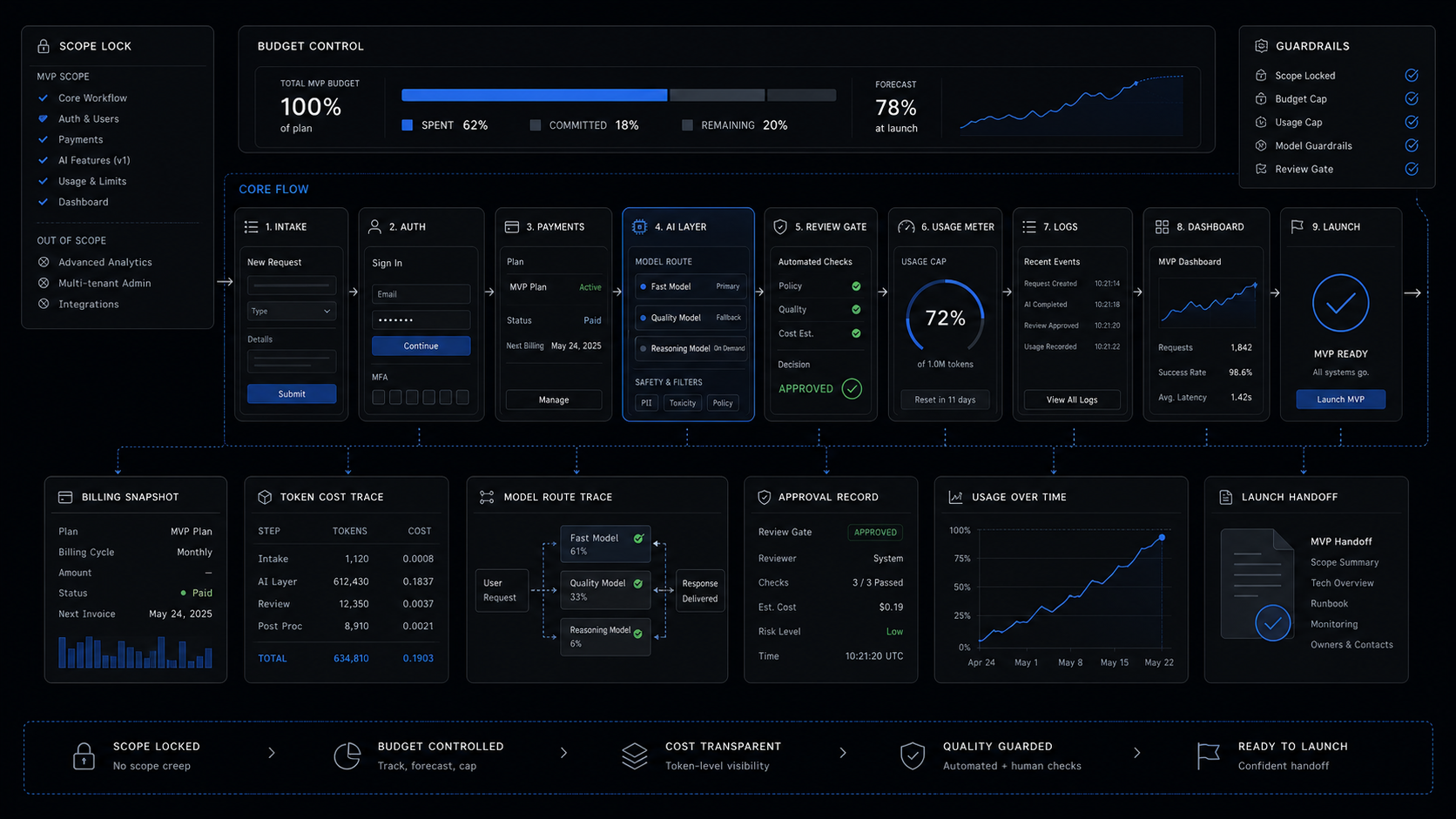
A SaaS MVP is ready to sell when the core workflow is narrow, paid users can move through it, and the team can operate it without heroics. Agentic coding tools can help build that faster, but they do not remove the scope rule.
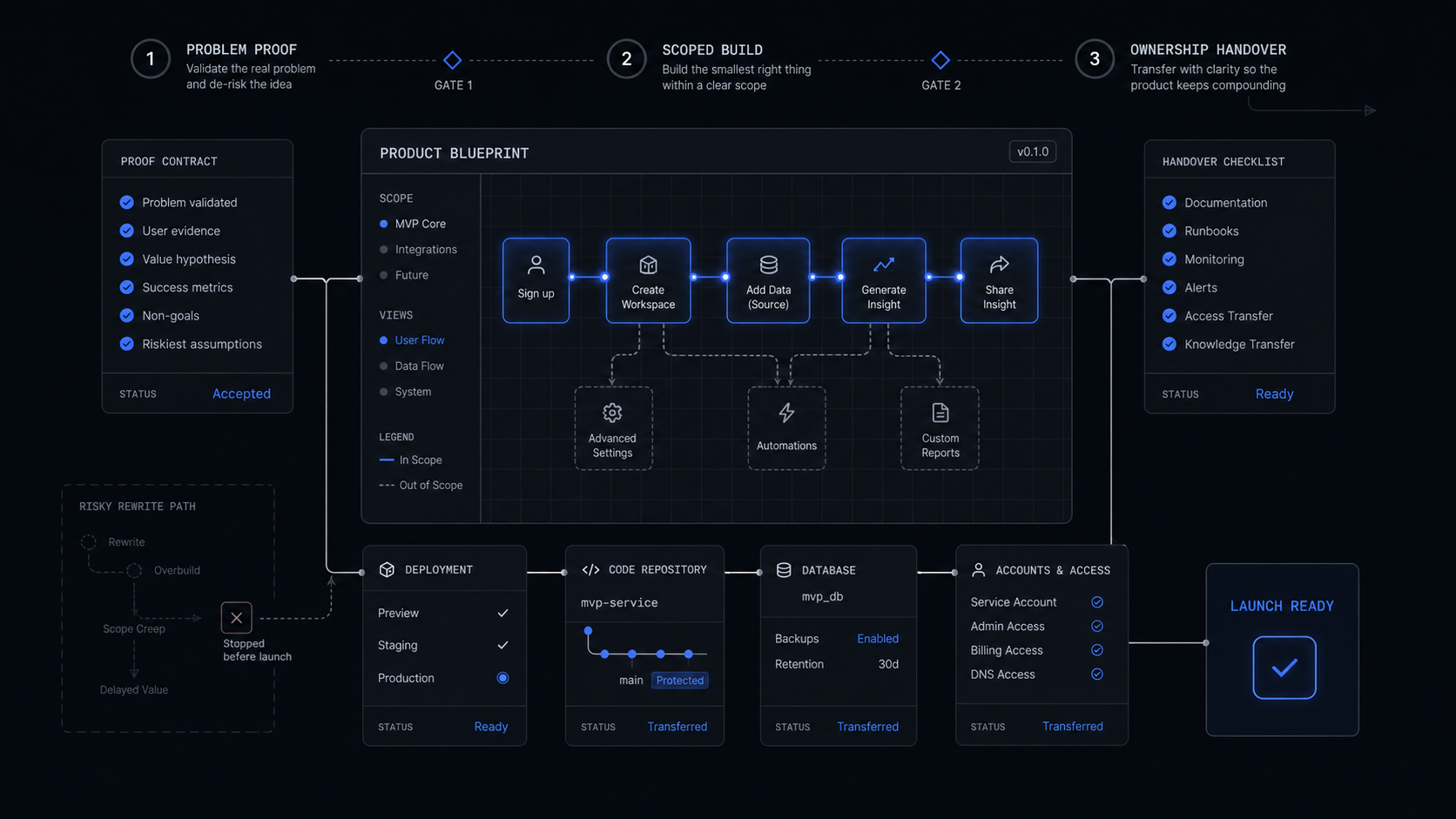
The production version needs these controls:
- One core workflow: define the job the MVP completes, the user role, and the success state.
- Owned data model: name the records, relationships, permissions, and deletion rules.
- Auth and billing review: treat login, roles, checkout, invoices, trials, and cancellation as human-reviewed code.
- Verification path: run tests and manual browser checks for every revenue or customer-data path.
- Logs and handoff: capture errors, admin actions, webhook events, background jobs, and deployment notes.
- Tool boundary: record which AI tool changed what, and keep diffs small enough to review.
For a practical baseline, compare the build against the fixed-price MVP scope in AI SaaS MVP Development Services: What Fixed-Price Builds Should Include. If the current prototype cannot satisfy that handoff standard, it is not a production MVP yet. It is a useful demo.
When to stop buying tools and scope the build
Stop buying another AI coding tool when the question is no longer "can we make a demo?" and becomes "can customers rely on this workflow?"
Gartner predicts over 40% of agentic AI projects will be canceled by the end of 2027 because of escalating costs, unclear business value, or inadequate risk controls. The same pattern shows up in SaaS MVPs. The prototype works in a narrow happy path, then the real product asks for permissions, edge cases, payment states, webhook retries, data exports, audit trails, admin tools, and customer support.
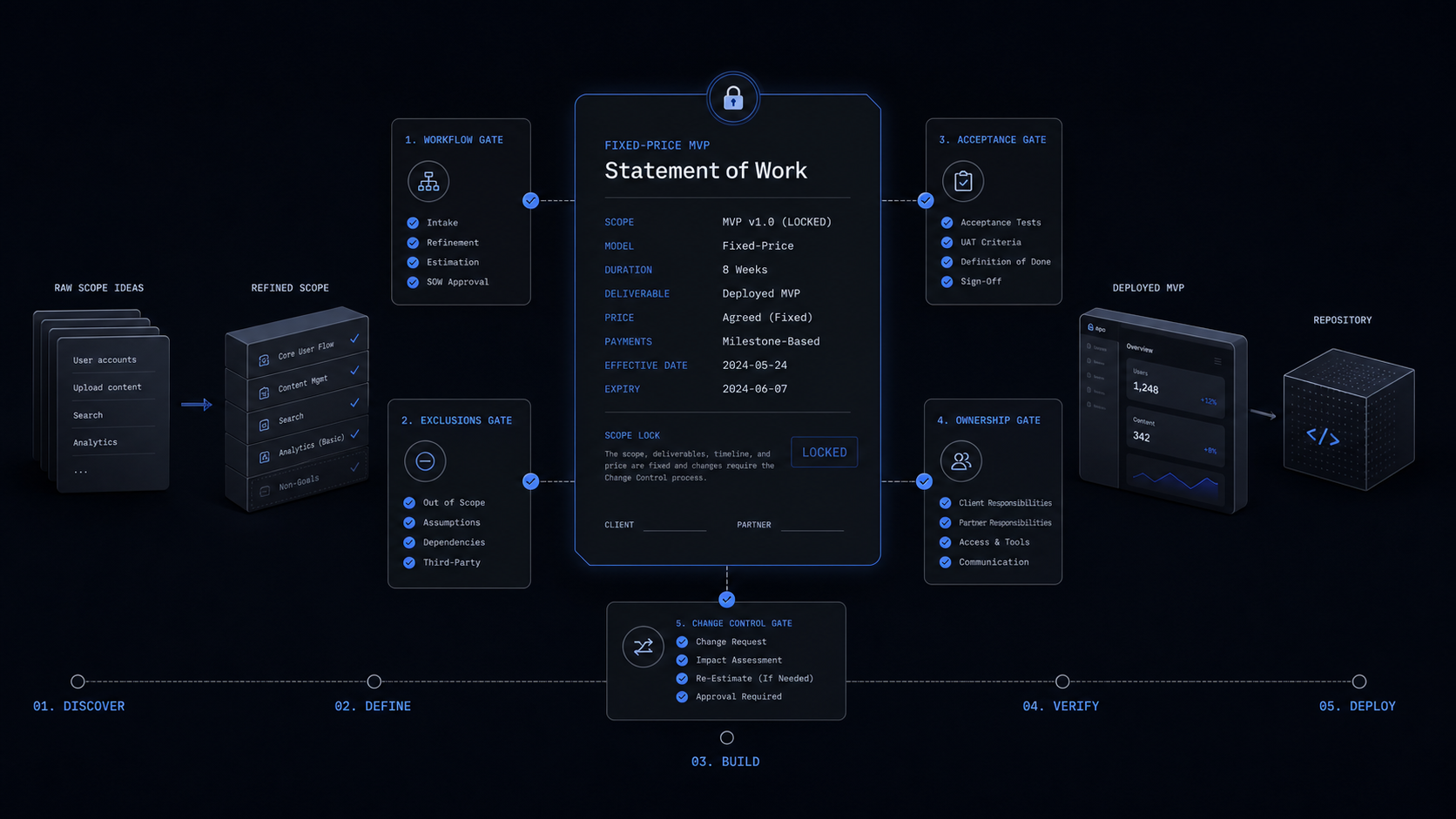
That is the handoff point. If the product has real demand, the build should move from tool exploration to fixed scope:
- Freeze the core workflow.
- Decide what is excluded from the first launch.
- Choose the stack and hosting model.
- Write acceptance criteria for every launch path.
- Build the smallest production system with reviewable code and a handoff.
Agentic coding tools still belong in that process. They help produce code, tests, docs, and review notes faster. They just stop being the strategy.
For AI-agent-specific cost planning, see AI Agent Build Cost in 2026: What To Budget Before You Build. For SaaS MVPs, the main cost is not the subscription. It is the cleanup when a fast demo becomes the wrong foundation.
What are agentic AI coding tools?
Agentic AI coding tools are software-development tools that can plan, edit, test, and iterate on code tasks instead of only suggesting snippets. The useful version for an MVP is a tool that leaves reviewable code, test output, and clear handoff notes.
What are the best agentic AI coding tools for a SaaS MVP?
Cursor is best for daily codebase work, GitHub Copilot for GitHub-standardized teams, Claude Code for terminal-heavy tasks, OpenAI Codex for bounded coding work, Replit for fast demos, and Windsurf/Devin for agent-heavy experimentation.
Can AI coding tools build a production SaaS MVP?
They can accelerate a production SaaS MVP, but they should not own it alone. Production needs architecture, auth and payment review, tests, deployment, logs, rollback notes, and a human owner for the codebase.
Are free agentic AI coding tools enough for a founder?
Free plans are enough to explore the workflow, generate a rough demo, or learn the product shape. They are not enough to decide production readiness, because the real risk sits in code ownership, customer data, permissions, billing, and maintainability.
When should a founder hire a studio instead of buying another coding tool?
Hire a studio when the MVP has a clear buyer, a defined core workflow, and enough risk that auth, payments, data, and support paths must be built correctly. At that point, another tool subscription usually adds speed but not ownership.
Scope Your AI SaaS MVP
Turn the validated workflow into a fixed-scope SaaS MVP with auth, payments, dashboards, AI features, deployment, and handoff.
Jun 7, 2026