How to Vibe Code an MVP Without Creating Rewrite Debt
Use vibe coding to prove the MVP workflow, then harden auth, data, billing, deploys, and ownership before real users depend on it.

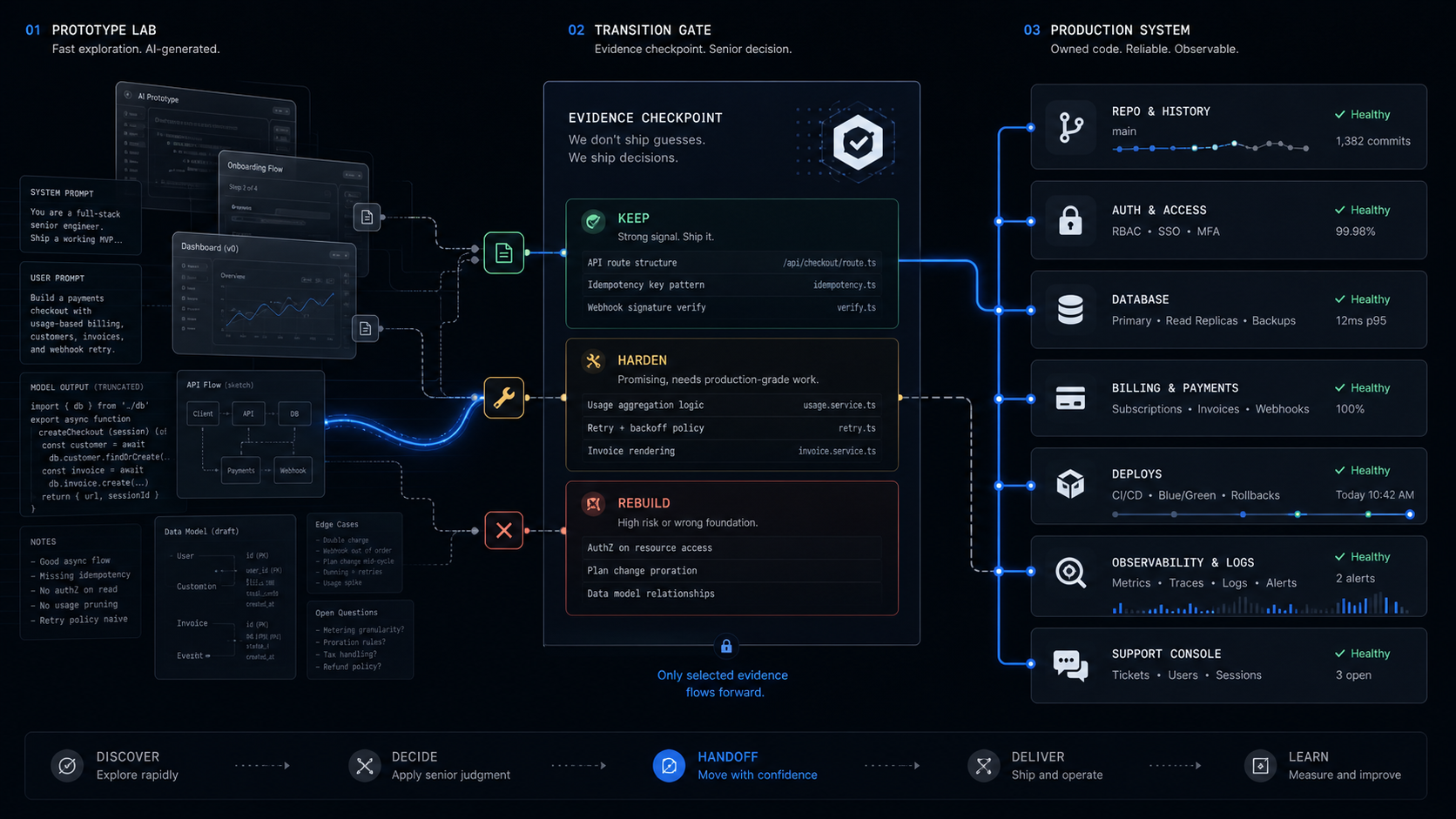
Vibe coding is useful for an MVP only when you treat it as a discovery instrument, not the production plan. Use it to prove the workflow, copy, screens, and edge cases, then freeze the scope and harden or rebuild the parts that will carry auth, data, billing, and operations.
The verdict: vibe code the demo, scope the product
Vibe code the first version when the goal is to see the product clearly, not when the goal is to create the final system of record. An MVP is the smallest version that proves one core workflow with real users. Vibe coding can help you find that workflow faster because it turns a vague product idea into screens, flows, and awkward edge cases you can react to.
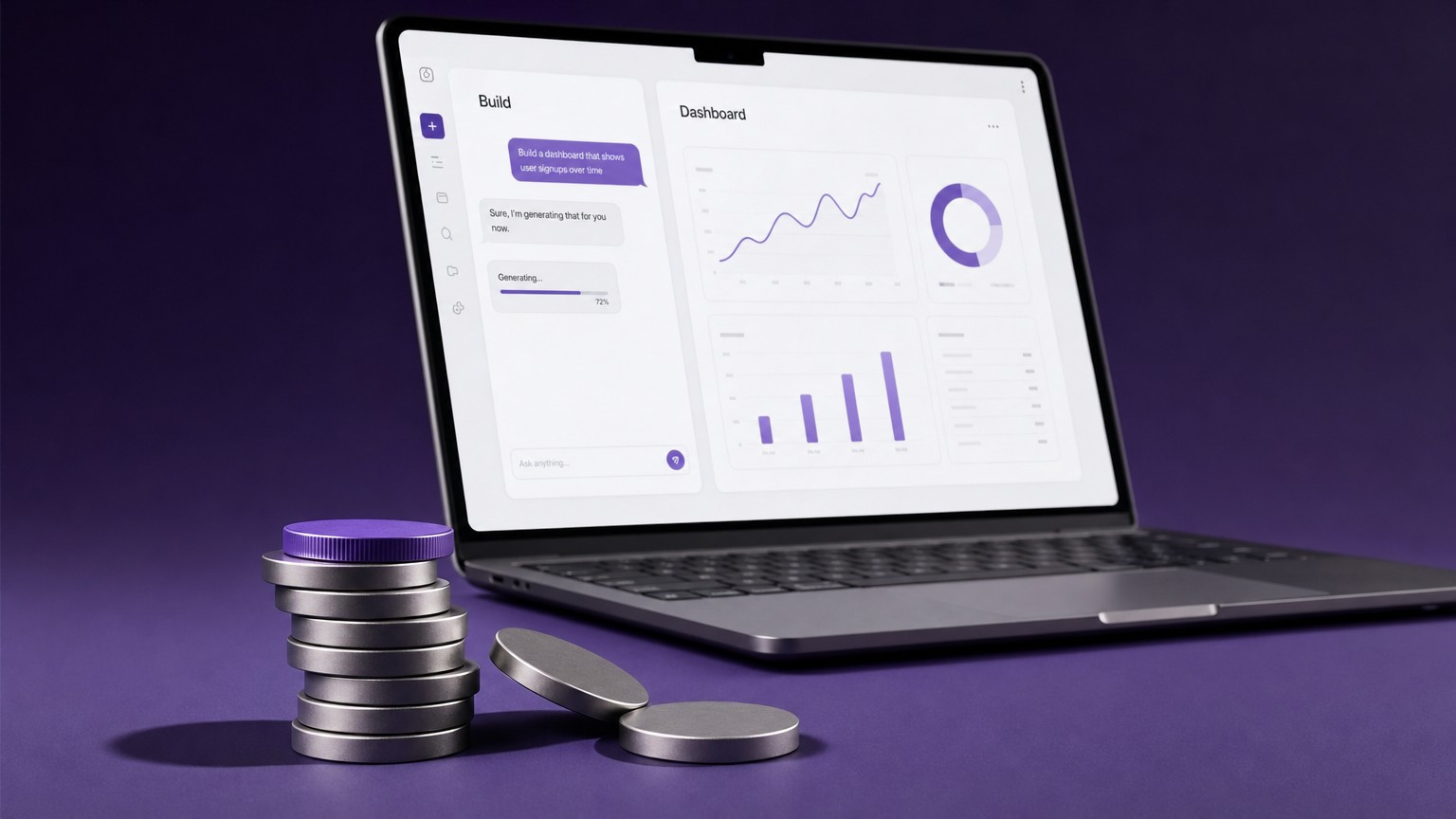
Google Cloud describes vibe coding as a conversational process where a person guides an AI assistant to generate, refine, and debug an application. The useful distinction is between pure vibe coding and responsible AI-assisted development. Pure vibe coding trusts the generated output. Responsible AI-assisted development reviews, tests, understands, and owns the result.
For a funded founder, the second model is the only one worth building around. You can use a vibe-coded prototype to answer questions that normally stay abstract for too long:
- Does the buyer understand the workflow without a sales call?
- Which screen creates the most confusion?
- Which step needs real data, permissions, or payment logic?
- Which promised feature is actually a distraction from the core job?
- Which part should be a service process before it becomes software?
The mistake is carrying prototype speed into production scope. Rewrite debt is the cost of fixing code that was good enough for a demo but not fit for users, operators, investors, or a future engineering team. It usually starts small: a fake auth flow, a local-only database, a hardcoded plan, a missing audit trail, a payment path with no failure states. Then every new feature has to work around the shortcuts.
Use the prototype to decide. Use the production build to commit.
The production boundary: keep, harden, or rebuild
The production boundary is the point where a prototype stops being useful as code and starts being useful as evidence. A good handoff does not ask, "Can we keep everything?" It asks, "What did this prototype prove, and which parts must be rebuilt so the founder owns the product cleanly?"
Use this table before you pay for more features.
The best prototype artifact is not a repo. It is a smaller product decision. A founder building an AI onboarding assistant, for example, may discover that the valuable workflow is not "chat with all company docs." It is "turn a signed customer into a configured workspace with the right welcome tasks, billing status, and handoff notes." That is a much better MVP because it has a buyer, a workflow, and a clear operational payoff.
This is where yesterday's tool choice becomes secondary. Use the prior AI app-builder comparison if you are deciding between Lovable, Bolt, Base44, and Replit. Use this playbook once the prototype has produced enough evidence to scope a product.
A workflow that avoids rewrite debt
The safe workflow is to make the AI builder expose the product before you let it define the architecture. Google Cloud's documented loop is simple: describe the goal, let the AI generate code, execute and observe, provide feedback, then repeat. For a founder, that loop needs one extra constraint at every pass: preserve the decision trail.
Start with the paid workflow, not the app category
Write the first prompt around the buyer's job, not around a generic SaaS label. "Build a customer onboarding checklist for B2B implementation managers" is better than "build a CRM." Add the user role, the trigger, the required outcome, and the state that proves the work is done.
Bad scope creates rewrite debt before the first file exists. If the prototype tries to include onboarding, billing, analytics, admin, chat, and referrals at once, the AI tool will fill gaps with guessed structure. A tighter prompt gives you useful friction faster.
Force the prototype to show data states
Ask for empty, loading, success, failed, permission-denied, and completed states before you ask for more features. A product that only looks good with perfect data is not ready for users.
For an implementation checklist MVP, make the demo show a new customer, a customer with missing files, a customer waiting on approval, a customer with failed payment, and a completed customer ready for account review. Those states tell you what the production schema, permissions, notifications, and support process need to handle.
Run five real walkthroughs before adding more scope
Do not ask the AI builder for more features until a few real prospects or operators have tried the flow. Watch where they hesitate, what they rename, and what they ignore.
The goal is not statistical proof. The goal is to remove founder fantasy from the scope. If every user asks for a CSV import, that belongs in the scoping conversation. If nobody uses the dashboard chart, it probably does not belong in v1.
Export or sync the code before you trust it
Code ownership is not a feeling. It is access, history, and the ability for another developer to inspect, run, change, and deploy the project without asking the app-builder vendor for permission.
Lovable's docs say its GitHub integration can back up code, sync changes both ways, support branches and pull requests, and let teams deploy outside Lovable. The same docs also say Lovable cannot import an existing GitHub repo into Lovable, and reconnecting after a disconnect creates a new repository. That is not a reason to avoid it. It is a reason to treat GitHub setup as a production handoff step, not an afterthought.
Turn the prototype into a scope document
The last prototype pass should produce a written build scope: core workflow, user roles, data model, integrations, payment rules, deploy target, admin needs, known exclusions, and acceptance tests.
This is the point where a fixed-scope studio can price the real build. The artifact should say what gets built, what gets cut, and what the founder owns at handoff. A vague prototype becomes expensive when the next team has to infer the product from generated code and scattered prompts.
Tool realities that matter for handoff
The tool question is not "Which vibe-coding platform is best?" The production question is "What can we extract, review, and operate after the demo works?" That is where pricing and platform controls matter.
Those facts lead to a practical decision. If you need to discover the product, any of these tools can help. If you need to own the product, the handoff path matters more than the prompt quality. The repo, environment variables, database migrations, payment webhooks, deployment process, logs, and admin controls are what survive the launch.
The cleanest workflow is often hybrid: vibe code the interaction, then rebuild the production shell with boring infrastructure and clear acceptance tests. That is not slower when measured against a real launch. It is faster than spending month two untangling auth, billing, roles, and data ownership from generated shortcuts.
The first production stack should be boring
Production v1 does not need a clever stack. It needs a stack that another senior developer can understand quickly, operate cheaply, and hand back to the founder without hidden platform dependency.
A normal SaaS MVP stack might use Vercel for the app, Supabase for Postgres and storage, Clerk for auth, Stripe for payments, and a small admin surface for support and operations. The exact choices can change, but the layers cannot disappear.
This is where a prototype turns into a business asset. A demo can show a billing button. A product needs to know whether a user who failed payment can still access the workspace, whether a downgraded plan keeps historical data, and what support sees when a customer says they paid but cannot log in.
The point is not to buy every paid plan on day one. The point is to make the production boundaries explicit. If the prototype is only testing a workflow, keep costs low. If real users are entering customer data, paying, inviting teammates, or relying on uptime, move the core workflow onto infrastructure you can own and inspect.
The handoff checklist before you hire a studio
Bring evidence, not a mystery repo. A senior studio can scope faster when the prototype already shows what buyers understood, what broke, and what should be cut.
Use this checklist before booking a scoping sprint:
- The core workflow is written in one sentence with a clear start and finish.
- The prototype link works and includes realistic sample data.
- The buyer promise is visible on the landing page or first screen.
- The user roles are named, even if permissions are not fully built.
- The data entities are listed in plain language: account, user, project, task, subscription, file, event, or whatever your product actually needs.
- The payment model is stated: free trial, subscription, usage, one-time setup, or manual invoice.
- The current repo or export path is available, even if the code will be rebuilt.
- The top user objections from walkthroughs are captured.
- The exclusions are explicit. Cut the dashboard, referral system, mobile app, marketplace, or AI agent layer if they do not prove the first paid workflow.
The MVP company handoff guide goes deeper on avoiding agency rewrite risk. The short version is this: a production sprint should start from a clear scope, not from the assumption that a generated prototype is either worthless or ready. Most good prototypes are neither. They are product evidence.
When to stop vibe coding
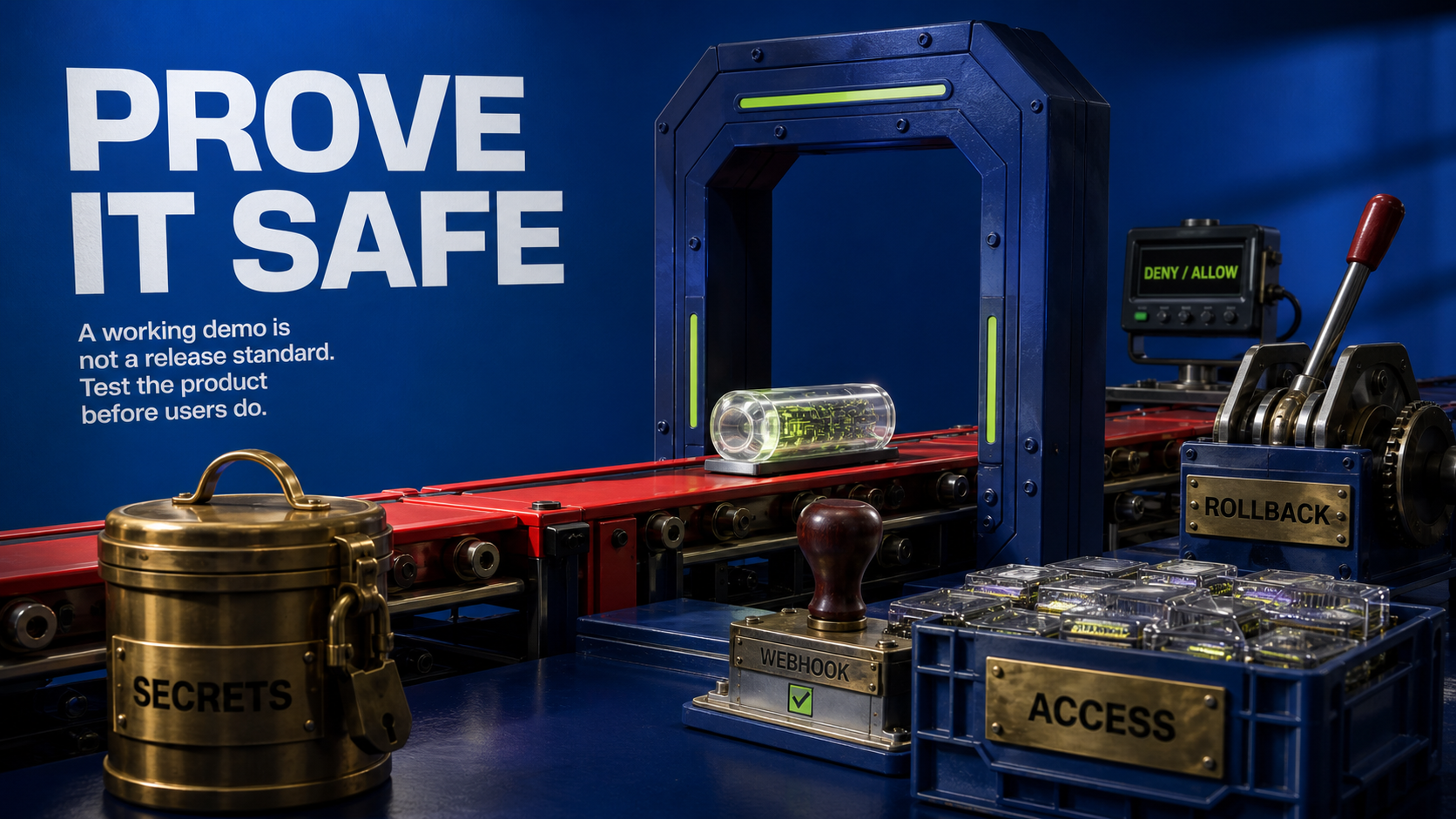
Stop vibe coding when the next question is no longer visual or conceptual. If the next question is "Can users understand this?" keep testing the prototype. If the next question is "Can we trust this with payments, customer data, team roles, admin actions, and support?" move into production scope.
The stop signal usually appears in one of these moments:
- You are asking the AI tool to patch the same bug repeatedly.
- A small feature change breaks unrelated screens.
- You cannot explain where user data lives.
- You do not know how a payment state maps to product access.
- You cannot run the app locally from a clean repo.
- You need a real admin view to support early customers.
- You need logs, tests, and rollback more than you need another screen.
That is not failure. That is the prototype doing its job. It told you what the product is.
The correct next move is a scoped build: one core workflow, real auth, real payments if the business model requires them, owned code, a launch site that explains the offer, and handoff docs that let the founder keep control. AI can still help inside that build, but the build is no longer governed by vibes. It is governed by scope.
Can you vibe code with ChatGPT?
Yes, but ChatGPT is usually better as a planning, review, debugging, and test-design partner unless it is connected to a repo-aware coding surface. For production, the important question is whether the code can be exported, reviewed, run locally, deployed, and maintained by someone other than the original prompt author.
Is vibe coding good for beginners?
Vibe coding is good for beginners when the goal is to learn the product shape and get a working demo in front of people. It is risky when the beginner starts treating generated code as a production system without review, tests, environment management, and data ownership.
How hard is it to vibe code an app?
The first app can be easy because the tool supplies structure fast. The hard part is making the same workflow reliable under messy inputs, real accounts, payments, permissions, failed states, support needs, and future engineers.
Is ChatGPT or Claude better for vibe coding?
The safer answer is to choose the workflow and repo controls first, then choose the model or tool. A strong model in a weak handoff process still creates rewrite debt. A slightly less flashy tool with clean repo access, tests, and deployment discipline can be the better production path.
Should a funded founder rebuild a vibe-coded MVP from scratch?
Not automatically. Keep the product decisions, copy, flows, and sometimes components. Rebuild or harden the layers that carry identity, data, billing, permissions, integrations, deploys, logs, and support.
Book the Scoping Sprint
Turn your vibe-coded prototype into a fixed production scope with the workflow, exclusions, handoff plan, and launch path made explicit.
Jun 27, 2026