AI Agent Pricing: Seats vs Credits vs Resolutions
Compare AI agent pricing by outcomes, conversations, seats, credits, minutes, tokens, and build cost before another tool becomes permanent spend.

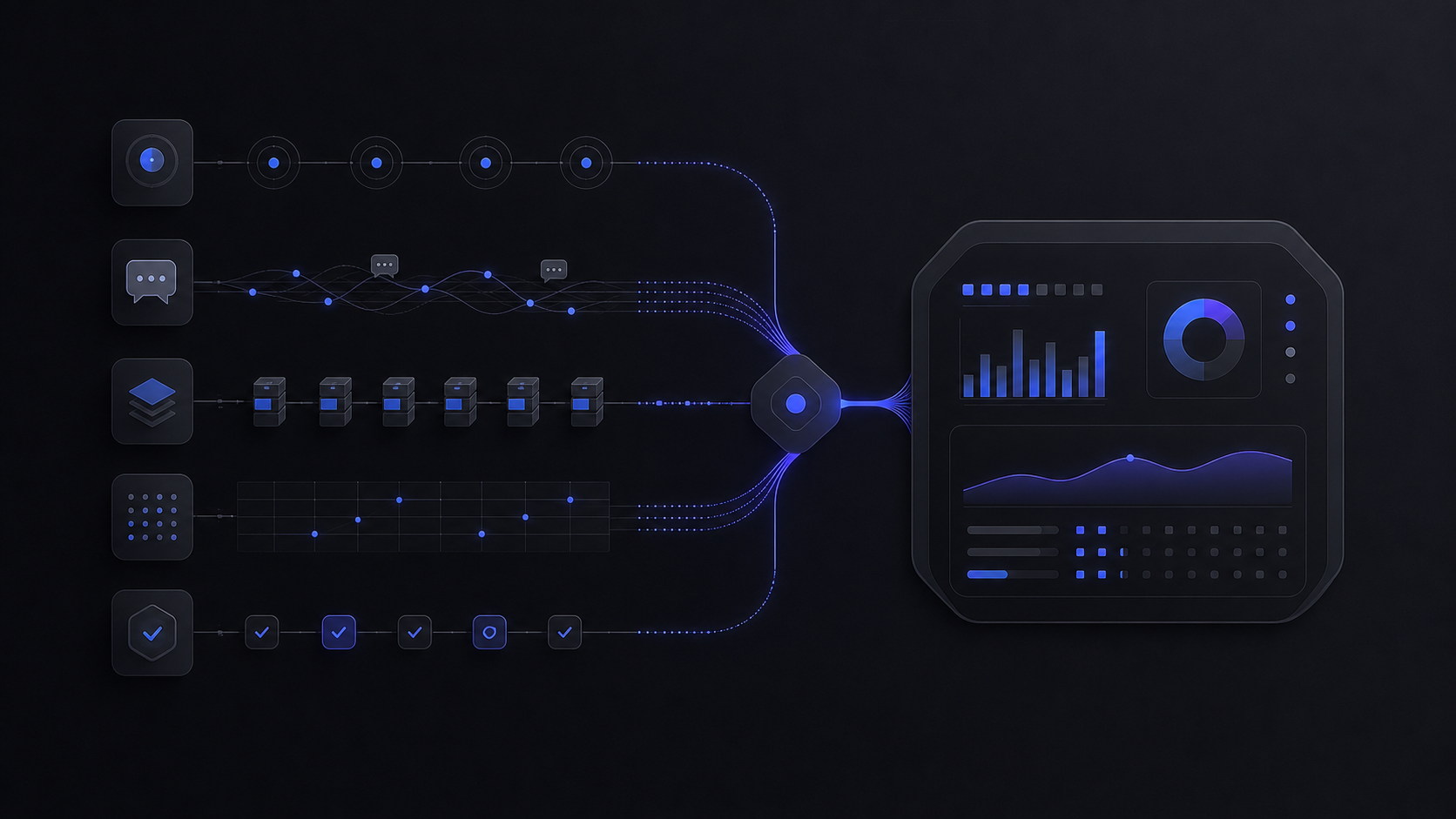
AI agent pricing is not one price. For most businesses, the real budget is a stack of five meters: human seats, successful outcomes, conversations or minutes, credits or tokens, and the integration work that keeps the system controlled.
The Short Verdict
Choose the pricing model by the workflow, not by the vendor demo. A support agent with a clean knowledge base should be priced against successful outcomes. A voice agent should be priced by minutes and concurrency. A CRM agent should be checked against actions, credits, and user licenses. A custom internal agent should be budgeted like a controlled workflow system: model tokens, tool calls, review time, logs, retries, and maintenance.
That matters because the sticker price rarely shows the full system cost. Gartner predicts that over 40% of agentic AI projects will be canceled by the end of 2027 because of escalating costs, unclear business value, or inadequate risk controls. The practical answer is not to avoid AI agents. It is to scope them around a billable unit you can forecast and a control layer you can inspect.
The cleanest buyer rule is this: if you cannot define the unit of success in one sentence, you are not ready to compare prices. "Resolved support issue without human escalation" is a usable unit. "A smarter support experience" is not. "Qualified lead handed to sales with source, score, and transcript" is a usable unit. "AI sales coverage" is not.
For teams already fighting tool sprawl, start with an audit before buying another agent. The same task math that decides when Zapier gets expensive applies here too: volume, overages, exception rate, and review labor decide whether a tool is cheap or just easy to approve. See the internal task-math model in Zapier Pricing in 2026 and the stack-control lens in SaaS Spend Management Software.
AI Agent Pricing Models Compared
AI agent pricing usually falls into seven models: outcome, successful resolution, conversation, seat, minute or message, credit, and token or tool usage. Google Cloud Marketplace's AI-agent pricing docs formalize the broader pattern as subscription-based pricing, usage-based pricing, combined pricing, and optional trials. In real buying conversations, combined pricing is the norm.

Intercom is the clearest example of outcome pricing. Its pricing page says Fin starts from $0.99 per Fin outcome. Standalone Fin can be used with an existing helpdesk with no seats required, and the pricing FAQ notes a minimum monthly commitment, for example 50 outcomes. If you also use Intercom's helpdesk, the annually billed seat prices are Essential from $29 per seat per month, Advanced from $85, and Expert from $132.

Zendesk is a reminder that "included" does not mean "free at scale." Its pricing page says AI agents are included in every Suite and Support plan, with AI-agent usage priced on successful outcomes. It defines an automated resolution as a customer request resolved by the AI agent without escalation to a human agent. The same page shows Support Team at $19 per agent per month, Suite Team at $55, Suite Professional at $115, and Copilot at $50 per agent per month, all paid yearly.

Salesforce Agentforce shows why enterprise agent pricing needs a map before the demo. The page lists Salesforce Foundations at $0 with Agent Builder, Prompt Builder, 200k Flex Credits, 250K Data Cloud credits, and Agentforce Vibes. It also lists Flex Credits at $500 per 100k credits, Conversations at $2 per conversation, and Agentforce add-ons at $125 per user per month. Those are different meters for different work shapes.

OpenAI API pricing is the useful baseline for custom systems. OpenAI API pricing lists GPT-5.5 at $5.00 input, $0.50 cached input, and $30.00 output per 1M tokens. GPT-5.4 mini is listed at $0.75 input, $0.075 cached input, and $4.50 output per 1M tokens. Web search is listed at $10.00 per 1k calls, and container pricing begins at $0.03 for 1GB or $1.92 for 64GB per 20-minute session per container starting March 31, 2026.

Retell is the cleanest voice example. Its pricing page lists AI Voice Agents at $0.07 to $0.31 per minute, AI Chat Agents at $0.002+ per message, $10 in free credits, and 20 concurrent calls included on pay as you go. If your agent answers phones, concurrency and average call duration are not details. They are the budget.
Run The Cost Model Before The Vendor Call
The first pricing pass should use your real volume and the vendor's billable unit. Do not start with the plan grid. Start with the workflow.
Take a support team with 10,000 customer conversations per month. Assume 60% are clean enough for an AI agent to resolve without human escalation after your knowledge base, handoff rules, and test runs are in place.
This table is not a vendor recommendation. It is the buyer's first sanity check. The same workflow can look cheap under one billing model and expensive under another because the meter changes.
Pull the real monthly volume
Use the last 30 to 90 days of tickets, calls, chats, form submissions, or workflow runs. Separate total volume from the subset that is repetitive, well documented, and safe to automate.
Define the billable success unit
Write the unit in operational language: "refund request categorized and routed," "order-status ticket resolved without escalation," "lead enriched and assigned with source notes." If the unit is vague, every pricing model will look cleaner than it is.
Estimate the exception rate
Log the cases that should not be handled by the agent: angry customer, billing dispute, legal language, missing data, VIP account, unusual refund, unsupported region. Exception rate becomes review labor and handoff cost.
Map the vendor meter to the workflow
Outcome pricing fits resolved support work. Conversation pricing fits broad customer-agent coverage but needs failure accounting. Credits fit CRM and platform actions. Token and tool pricing fits custom systems where you control the architecture.
Add the control layer before ROI
Budget for test runs, evaluations, logs, approvals, fallback routing, analytics, and maintenance. Those controls are not overhead. They are the difference between a pilot and a system the business can trust.
What The Sticker Price Leaves Out
AI agent pricing fails when the buyer budgets only for software. The real system has five extra cost lines: setup, knowledge cleanup, integration, review labor, and change management.
Setup is the work of turning a fuzzy use case into a bounded workflow. A useful setup scope includes source systems, allowed actions, denied actions, escalation triggers, audit logs, and who owns fixes after launch. Without that, the agent either refuses too much work or performs too much work without supervision.
Knowledge cleanup is the quiet cost in support and sales agents. A support agent priced per outcome still needs accurate articles, product policies, refund rules, billing language, and edge-case labels. Bad knowledge makes the agent cheaper to launch and more expensive to operate.
Integration cost appears when the agent needs to do more than answer. Reading a help center is one problem. Checking order status, updating a CRM field, creating a return, sending a Slack approval, and handing off with context is a controlled workflow. Each action needs permissions, retries, error handling, and logs.
Review labor is the cost most teams miss. Someone has to read failed conversations, tune procedures, update knowledge, and check whether the agent is creating hidden support debt. If you cannot name that owner, usage will grow without accountability.
Change management is the reason the cheapest agent is not always the best agent. A tightly scoped, slightly more expensive system can be easier to trust if it gives managers clean logs, clear handoff, and a measurable resolution path.
When To Buy, Automate, Or Build
Buy the packaged agent when your workflow matches the vendor's billing meter. A support team with strong documentation, predictable ticket categories, and clear escalation rules can usually test an outcome-priced support agent before commissioning a custom build. The value is speed: you get a production helpdesk surface, reporting, and vendor-maintained features.
Automate the workflow when the process is stable but crosses too many tools for one vendor to own cleanly. Example: a lead comes in through a form, needs enrichment, is scored against CRM context, waits for manager approval if the deal size is high, then gets routed with a Slack summary. That is not just "an AI agent." It is a workflow with an AI step, deterministic routing, and human approval.
Build the system when the approval rules, data boundary, or handoff experience is the product. If the agent needs to touch sensitive customer data, make regulated decisions, coordinate between internal systems, or expose a customer-facing feature, the build should prioritize logs, tests, fallbacks, and ownership. The model bill may be modest, but the system design matters.
Use this decision rule:
The audit-first case is common. A company may already have AI in Zendesk, HubSpot, Salesforce, Intercom, Notion, Slack, Microsoft 365, Google Workspace, and a separate automation tool. Before adding one more agent, list the current meters: seats, credits, messages, tasks, conversations, outcomes, tokens, and add-ons. The cheapest next move may be removing overlap, not signing a new platform.
The Budget Template
A usable AI agent budget has one formula:
Monthly agent cost =
platform or seat cost
+ live usage meter
+ model and tool calls
+ human review labor
+ integration maintenance
+ overage buffer
For a support agent, the live usage meter is usually outcomes or conversations. For a voice agent, it is minutes, messages, concurrency, and telephony. For a CRM or internal agent, it may be credits, licensed users, and platform actions. For a custom system, it is model tokens, cached context, web-search calls, tool calls, containers, retries, and monitoring.
The overage buffer should not be guessed. Build it from failure modes:
- Retry rate: how often the agent has to ask again, call another tool, or re-run a step.
- Escalation rate: how often the agent hands off to a human.
- Review rate: how many outputs a person must inspect before final action.
- Spike volume: what happens during launches, incidents, campaigns, seasonality, or support outages.
- Policy churn: how often prices, refund rules, lead-routing rules, or product docs change.
The buying question becomes simple: can this pricing model stay predictable when the workflow succeeds? Per-seat pricing can punish broad adoption. Per-conversation pricing can punish failed resolution. Token pricing can punish long context and retries. Credit pricing can hide the real action count. Outcome pricing can work well when success is defined honestly, but it still needs a control layer.
How do you price your AI agent?
Price it by the unit of business value, then map that unit to the vendor meter. For support, that may be a successful resolution. For voice, it may be minutes. For a custom workflow, it may be model tokens, tool calls, approvals, and maintenance.
Are AI agents expensive to run?
They become expensive when usage is uncapped, the billable unit does not match the outcome, or the system has no clear escalation path. A controlled agent with logs, limits, and a narrow workflow is much easier to forecast.
What is AI agent pricing per month?
Monthly cost is the base platform or seat cost plus the live usage meter. A useful estimate starts with real monthly volume, expected resolution or completion rate, human review rate, and any vendor minimums or overages.
Should you pay per conversation or per resolution?
Pay per resolution when the resolution definition is clear and measurable. Pay per conversation only when the broader coverage is worth it and you have accounted for conversations that still escalate to a human.
What should an AI agent pricing calculator include?
It should include volume, billable unit, base seats, platform fees, credits, model or tool costs, voice minutes, concurrency, review labor, escalation rate, maintenance, and an overage buffer.
Audit Your AI Stack
Map seats, credits, agent meters, duplicated tools, and build-vs-buy options before another AI platform becomes permanent spend.
Jun 4, 2026